Usage
The REDDOXX Cloud always displays all E-Mails in the archive for the logged-in user and all of their deputies/shared mailboxes to which the logged-in user has access.
If you have many deputies/group authorisations or shared mailbox accesses, you can adjust this in the deputy selection.
Technically, it is possible that you will see E-Mails that were written before you joined the company, for example, if you have access to a mailbox that contains these older emails.
The following screenshot provides an overview of the various areas in the archive.
The individual points are discussed below.
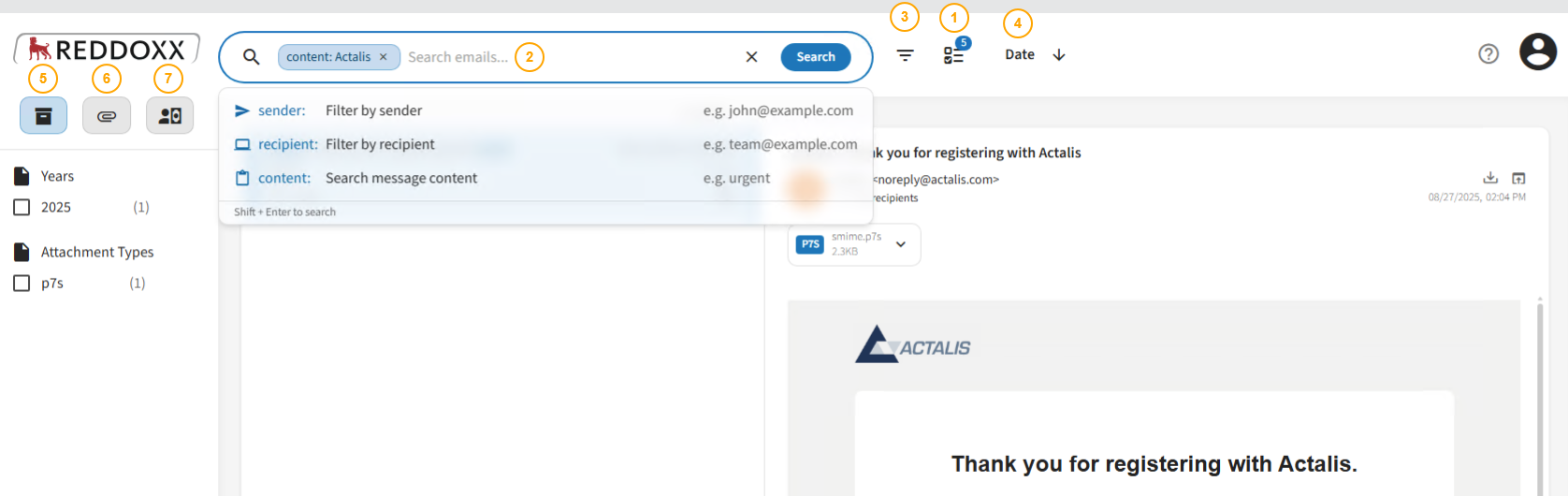
- Here you can select the E-Mail-Addresses assigned to your user for which a search is to be performed in the archive.
This can be compared to a pre-filter, as you will only find E-Mails in the archive where the selected E-Mail-Addresses (Deputies) were either the sender or recipient of an archived E-Mail - Below the symbol, you can see how many deputy addresses are currently selected.
- When you click on the icon, you will first see the active addresses and can select or deselect addresses via ‘Add’.
- In the search field, you can choose whether to search by sender, recipients or message content
- The content search is a fuzzy search that also returns similar results; only individual words separated by spaces are permitted in the search.
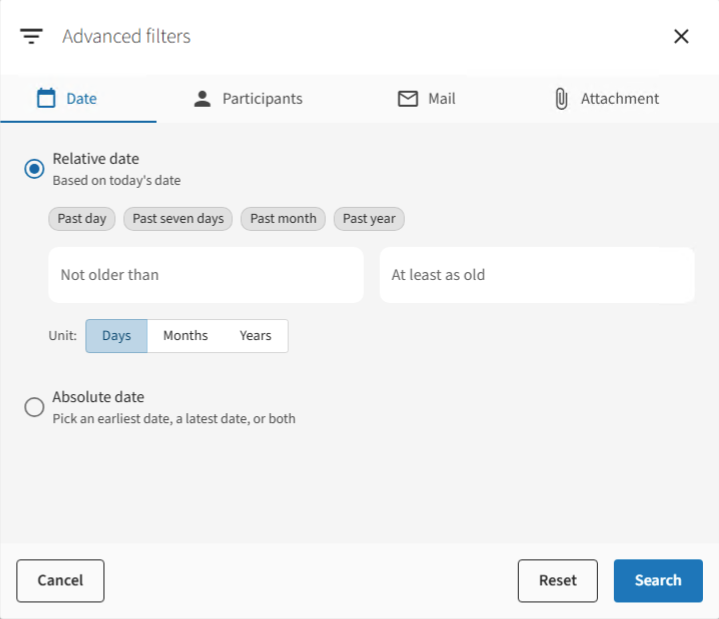
- In the Advanced Search, you can search by date, email addresses, email content and attachments
- The filters (i.e. date, email addresses, etc.) are logically AND-linked; therefore, if you select a date in the date filter and search for a specific sender address in the addresses filter, results will only be returned if E-Mails exist for that date with that specific sender address
- Here you can adjust the sorting (also depending on the search area) (e.g. by relevance or date); the arrow indicates ascending or descending sorting (if you for example click on the date several times, the sorting will change accordingly).
- The archive area covers the entire archive, initially unfiltered.
- You can filter directly by archive period using the annual list.
- You can also filter by attachment type, if available.
- Here you can only search for attachments and filter by file size.
- The sorting function (see point 4) also allows you to sort by size
- E-invoices (e.g. ZUGFeRD) are listed in this area