M365
REDDOXX Cloud set up with an M365 tenant:
https://cloud.docs.reddoxx.com/en/reddoxx-cloud/create-a-tenant/microsoft-365
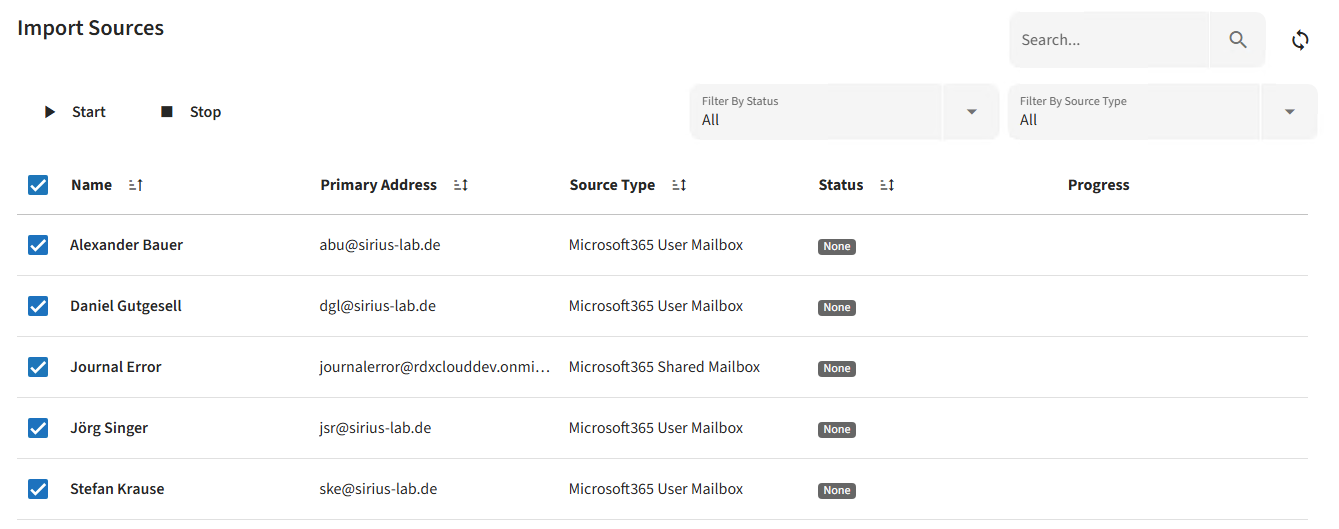
In the Email Archive => Import Sources section, you will see the user mailboxes (as well as shared mailboxes) that have been identified during synchronisation with your M365 tenant.
Use the check boxes to select which mailboxes are to be imported:
When you click "Start", a prompt will appear asking which E-Mails are to be archived (for example, you can include the Trash Folder, or alternatively filter by a specific time period):
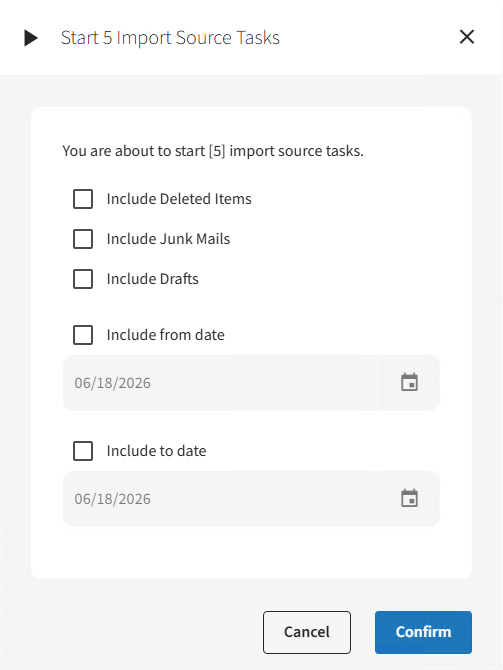
Once you have confirmed the prompt, it will take a short time, as the jobs are created and scheduled in the background.
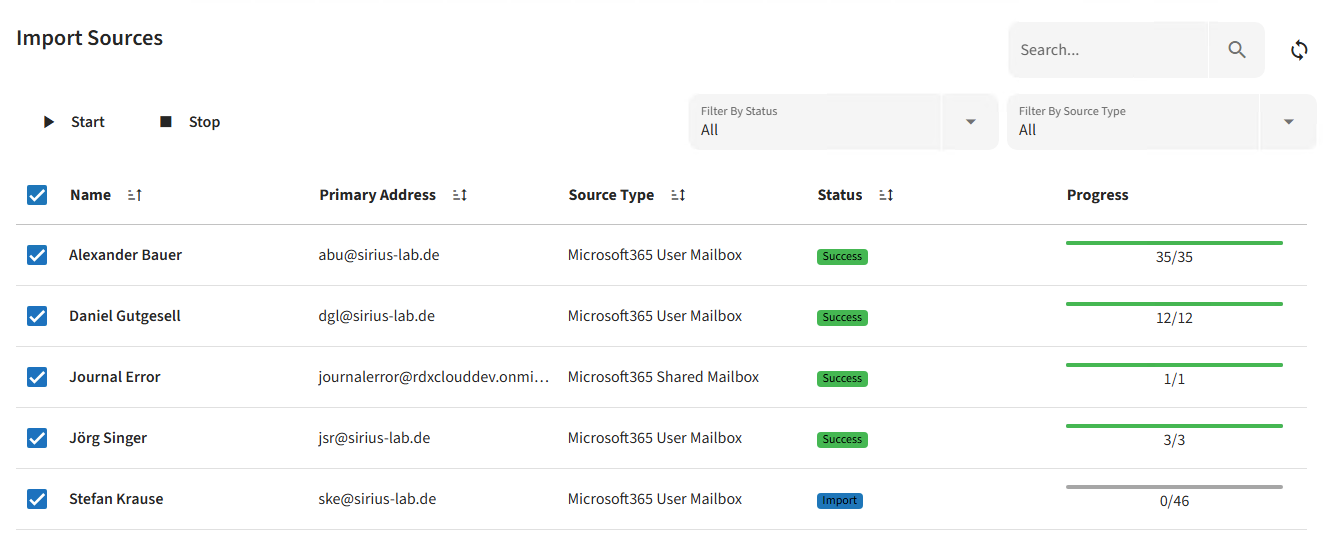
The progress of the import processes is then displayed: